AetherSX2 2.0 APK Download for Android – PS2 Emulator
AetherSX2 2.0 is a name many Android users search when looking for an updated PS2 emulator. The original AetherSX2 became popular for running PlayStation 2 games on Android with good performance and plenty of graphics and control options. However, the original project is no longer actively developed.
Today, NetherSX2 2.0 is often associated with the AetherSX2 2.0 name. It is a community continuation based on AetherSX2 and includes updated patches, fixes, and extra features. If you’re downloading an APK under the AetherSX2 2.0 name, it is worth checking whether it is actually a NetherSX2 build before installing it.
What Is AetherSX2 2.0?
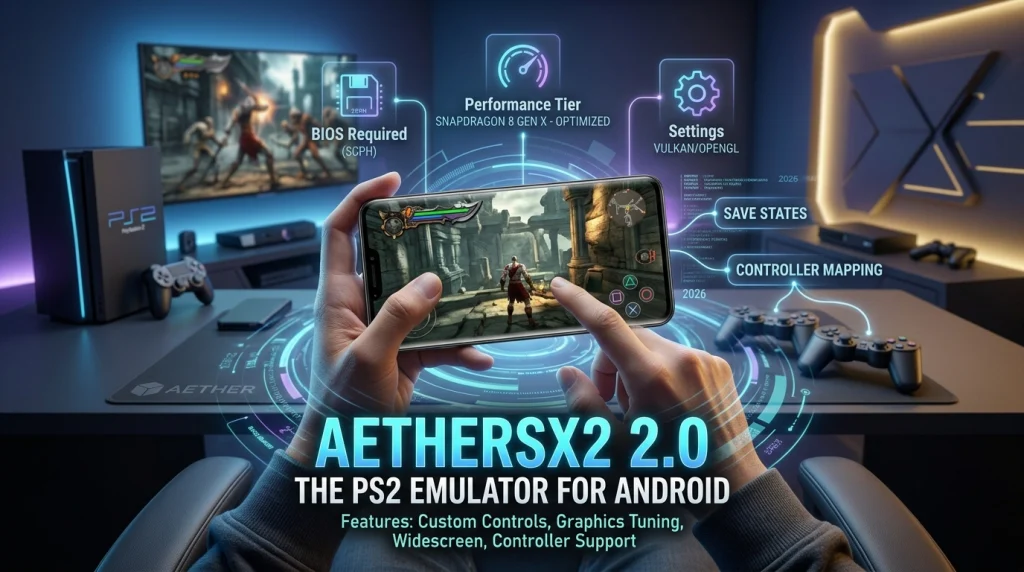
AetherSX2 2.0 is a PS2 emulator for Android phones and tablets. It lets you play compatible PlayStation 2 games without using a physical console. The emulator uses your phone’s CPU and GPU to run games and offers useful options like custom controls, graphics settings, widescreen mode, and game controller support.
To use AetherSX2, you also need a PS2 BIOS file. Game performance depends on your device and the game you run, so newer phones usually give better results. The original AetherSX2 project is no longer actively developed, which is why community projects like NetherSX2 have continued its work. If you see an “AetherSX2 2.0” APK on an unofficial website, check the source carefully before installing it.
Key Features of AetherSX2 2.0
UI and Translation Updates
The release also includes small interface improvements and more translation support. These changes make the emulator easier and more comfortable to use.
Better Controller Support
The controller database was updated to support a wider range of gamepads. This makes it easier to use external controllers with compatible Android devices.
Improved Graphics Patches
Updated widescreen and deinterlacing patches can improve the appearance of supported games. They help make older PS2 titles look cleaner on modern screens.
Improved Stability
NetherSX2 2.0 includes changes aimed at making the emulator more stable. It also blocks forced Google Play updates that could replace the app with an older version.
Fast PS2 Emulation
NetherSX2 2.0 keeps the hardware-accelerated PS2 emulation of AetherSX2. It works on 64-bit Android devices and supports both Vulkan and OpenGL. Performance is usually better on powerful phones with chipsets around the Snapdragon 845 level or newer.
Restored Retro Achievements
Version 2.0 brought back hardcore Retro Achievements support. This lets players earn achievements while playing in hardcore mode.
Updated Game Database
The emulator includes an updated GameDB with fixes for specific games. These changes can help improve compatibility and reduce problems when running certain PS2 titles.
AetherSX2 2.0 System Requirements
PS2 emulation needs a fairly powerful Android device. Use the table below as a practical guide for choosing the right hardware.
| Requirement | Minimum | Recommended | Best Experience |
|---|---|---|---|
| Android Version | Android 8.0+ | Android 10+ | Android 11+ |
| CPU | 64-bit processor | Snapdragon 720G or better | Snapdragon 865+ / 8 Gen series |
| RAM | 4 GB | 6–8 GB | 8 GB+ |
| GPU | Vulkan or OpenGL support | Adreno GPU with Vulkan | Adreno 650+ |
| Storage | 2 GB free + game files | 4 GB+ free | 8 GB+ recommended |
| Expected Performance | Basic PS2 emulation | Most games at playable speeds | Smoother performance with higher graphics settings |
How to Download and Install AetherSX2 2.0
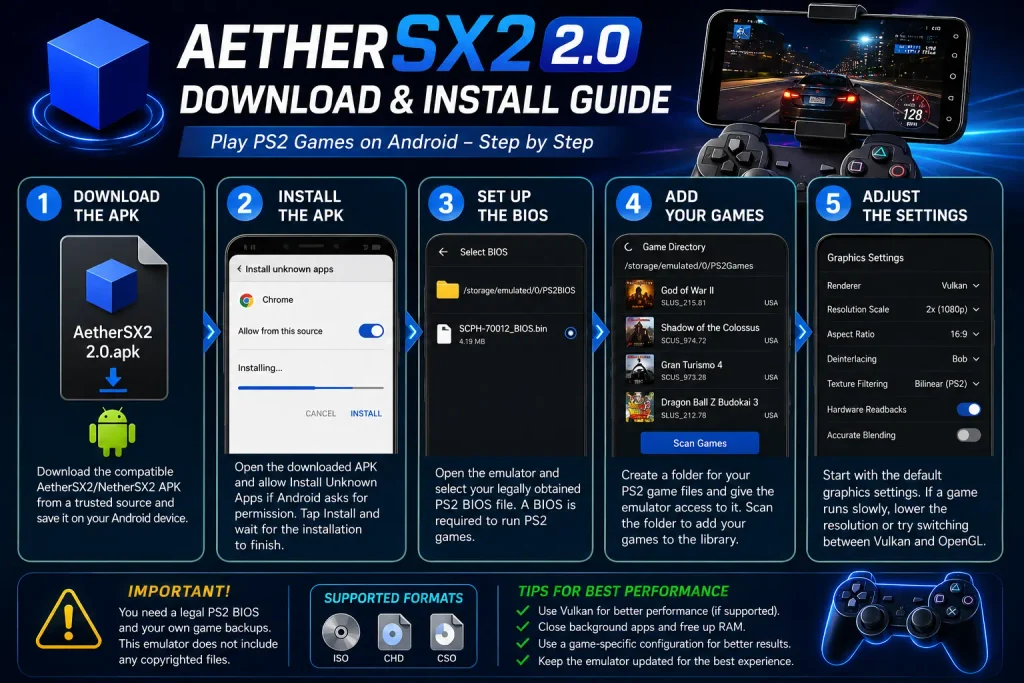
Setting Up the PS2 BIOS (Critical Step)
A PS2 BIOS is required before AetherSX2 or NetherSX2 can start your games. It is not included with the emulator because the BIOS is copyrighted. The safest option is to dump the BIOS from your own PS2 and transfer it to your Android phone.
Add Your BIOS File
- Dump the BIOS from your PS2 and transfer the file to your Android device.
- Create a dedicated folder such as PS2/BIOS and place the BIOS file there.
- Open NetherSX2 and go to Settings → BIOS → BIOS Files.
- Browse to your BIOS folder and select the file.
- Check that it appears as the active BIOS before launching any game.
Adding and Playing Games
- Prepare your PS2 game files in ISO, CSO, or CHD format
- In NetherSX2, tap “Add Game Directory”
- Select the folder containing your game files
- The emulator will scan and display your games with cover art
- Tap any game to start playing
Performance Optimization Tips
AetherSX2 and NetherSX2 can run PS2 games well, but the best settings depend on your phone. If a game feels slow or has frame drops, lower the resolution first. Use the table below as a starting point and adjust the settings based on your device.
| Device | Renderer | Upscaling | Frame Skipping | Recommended Settings |
|---|---|---|---|---|
| High-End – Snapdragon 865+ | Vulkan | 2×–4× | Off | Enable widescreen patches for supported games |
| Mid-Range – Snapdragon 720G–855 | Vulkan | 1×–1.5× | Auto if needed | Switch to OpenGL if Vulkan causes glitches; close background apps |
| Low-End | OpenGL | Native (1×) | Enable if needed | Use Fast/Unsafe preset and focus on lighter games |
AetherSX2 vs. NetherSX2: What’s the Difference?
AetherSX2 is the original emulator, while NetherSX2 is a community project built from it. NetherSX2 keeps the core PS2 emulation but adds patches, fixes, and some extra features. Here is a simple comparison:
| Feature | AetherSX2 (Original) | NetherSX2 2.0 |
|---|---|---|
| Development Status | Discontinued | Community-maintained |
| Base Version | v1.5-4248 | Based on AetherSX2 4248 |
| Ads | No | No |
| Texture Dumping | No | Yes |
| Game Patches | Original patches | Updated patches |
| Widescreen & Deinterlacing | Available | Updated patches |
| Screen Controls | Standard | Improved options |
| Game Library | Standard cover display | Improved cover display |
| Game Database | Original GameDB | Updated GameDB with fixes |
| Controller Support | Supported | Updated controller database |
| RetroAchievements | Supported in compatible builds | Hardcore support restored |
Pros and Cons
Pros
- Completely free with no advertisements
- High-quality PS2 emulation on mobile
- Extensive customization options
- External controller support
- Save states and upscaling features
- Large game compatibility library
Cons
- Requires legally sourced PS2 BIOS file
- Demanding on hardware; low-end devices struggle
- Original development discontinued (NetherSX2 carries the torch)
- Some games still have compatibility issues
- Heavy battery usage during long sessions
Frequently Asked Questions
Conclusion
For Android users searching for AetherSX2 2.0, it is important to know that the name is often used for NetherSX2 v2.0, a community continuation based on AetherSX2. It keeps the original emulator’s PS2 performance while adding updated patches, texture dumping, controller improvements, and other fixes.
A good Snapdragon device with an Adreno GPU can provide a smoother experience, especially with demanding games. With the right BIOS, game files, and settings, you can enjoy PS2 titles such as God of War, Final Fantasy X, Tekken 5, and Gran Turismo 4 on Android.